Design · Beginner
Build complete, convincing interiors in SketchUp from a blank file
A five-week programme of recorded lessons, practical homework and weekly group reviews for interior designers and design students.
- 13 recorded video lessons
- 3 weekly online reviews
- Homework feedback
- Model and texture libraries
- 14-day refund
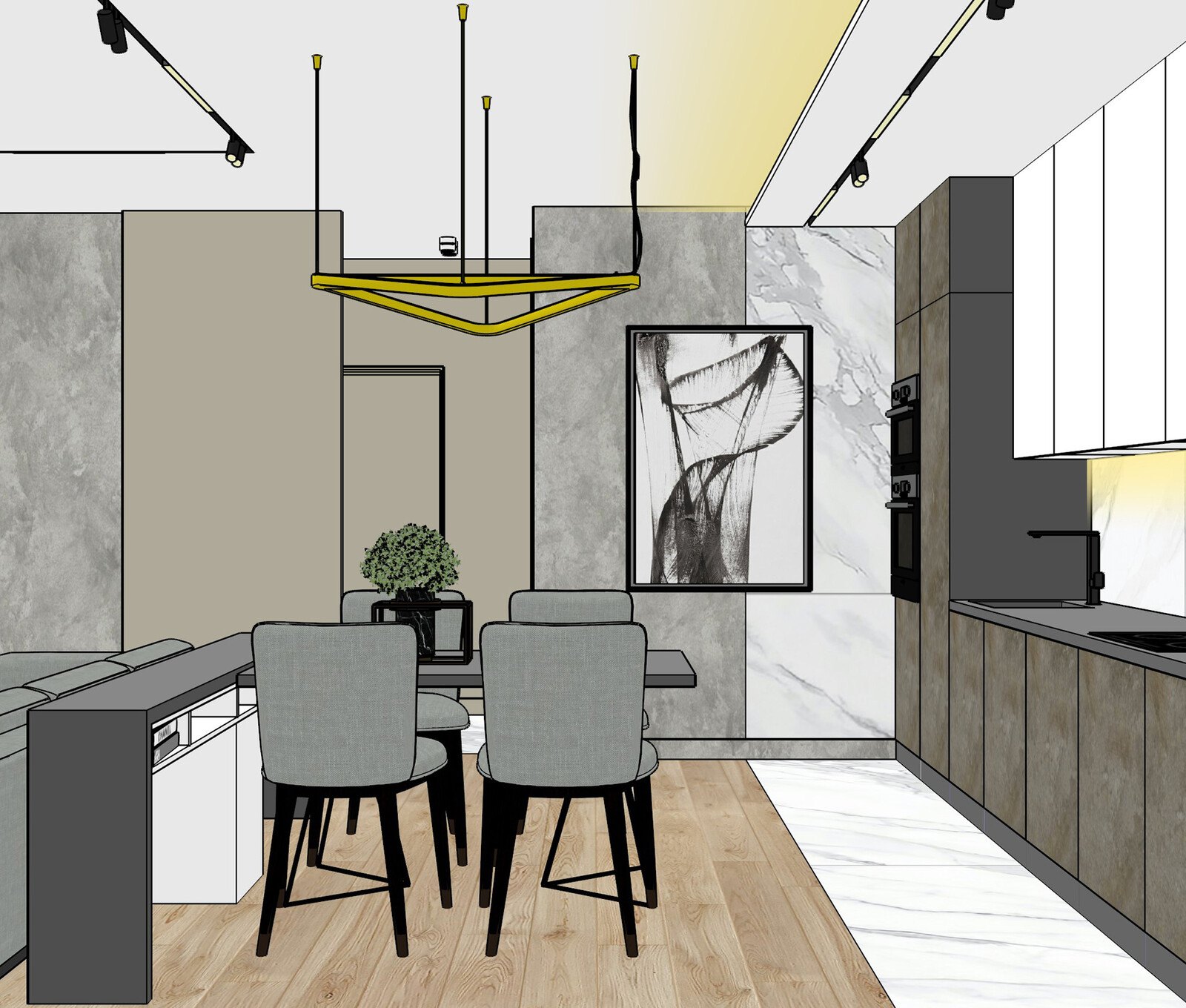
From hand sketches to a model the client can walk through
Most interior designers know what a good room looks like. The difficulty comes when the idea has to leave your head: a client cannot read a rough plan the way you do, and a flat drawing hides problems with proportions, light and furniture placement until it is too late to change them cheaply.
SketchUp is one of the most approachable tools for solving that problem, but opening it for the first time can feel confusing. Many people learn it in fragments from random videos, end up with habits that slow them down, and rebuild the same wall or sofa again and again because nobody showed them a clean way to organise a model.
This programme teaches SketchUp through the work you actually do as an interior designer. You start with an empty file and finish with a full interior built in a logical order, from walls and openings to furniture, materials and presentation-ready drawings.
The lessons were recorded in advance by practising designers and architects, so they stay focused on what is used on real projects: shortcuts, working order and the small decisions that save hours. You do not need to have used 3D software before.
What you will be able to do
- Set up a SketchUp file correctly
Units, templates and a tidy structure that keeps larger models manageable.
- Model rooms from a floor plan
Turn measurements and layouts into accurate walls, openings and ceilings.
- Build furniture and built-in elements
Create your own kitchen units, wardrobes and custom pieces instead of searching for ready-made ones.
- Apply materials and textures
Give surfaces a realistic look and keep colour and scale consistent.
- Work with ready-made model libraries
Import, adjust and reuse components without bloating the file.
- Use groups and components to stay organised
Edit one object and have every copy update.
- Prepare drawings for presentation
Format views and sheets so that plans and sections are clear to clients and contractors.
- Present a concept faster
Show a client a model they can explore rather than a flat sketch.
- Fix common mistakes yourself
Learn from the errors that appear most often in student homework.
- 13
- recorded video lessons
- 5
- weeks of guided learning
- 3
- weekly online review sessions
- 1
- bonus lesson on drawing layout
Learning by building one interior step by step
Instead of presenting menus and tools one by one, the lessons follow the order in which a real interior is created. You model the shell of a space first, then add doors and windows, then furniture, and only then move to materials and presentation.
Every lesson ends with a practical task. You complete it in your own file and attach the result to your answer on the learning platform. A reviewer looks at the work, points out what to correct and explains why. Only after the task is done does the next lesson open, so you cannot skip the practice that makes the skill stick.
- Each lesson builds on the previous one
- Homework is part of the lesson, not an extra
- Feedback on your own model, not a generic example
- Common mistakes are discussed in weekly group sessions
How the course works
The video lessons are recorded in professional quality and are available to you whenever you want to study, wherever you are. You can replay any lesson as many times as you need, which is useful when a technique only clicks on the second or third viewing.
A typical study session has three parts: you watch the lesson and read the additional materials, you complete the homework in SketchUp, and you submit the result on the platform. The reviewer checks the work, leaves comments and shows what should be corrected. If something is unclear, you can ask a question in the comments under the lesson or in the course chat.
Once a week there is an online review session in the form of a webinar. It covers questions from learners and the most frequent mistakes noticed in submitted homework. Three of these sessions run during the programme, so the group calls support your self-paced work rather than replace it.
The programme
Thirteen recorded lessons across five weeks, plus a bonus lesson on drawing layout.
1Week 1 — Getting started with SketchUpSet up the workspace and learn the core tools.3 lessons
- The SketchUp interface and a convenient workspace setup
- Drawing, pushing and pulling: the basic modelling tools
- Navigation, selection and the shortcuts that save time
2Week 2 — Building the shell of the roomTurn a floor plan into walls, openings and ceilings.3 lessons
- Importing a plan and setting the scale
- Modelling walls, doors and window openings
- Ceilings, niches and level changes
3Week 3 — Groups, components and furnitureKeep the model organised and build your own objects.3 lessons
- Groups and components: how and when to use each
- Modelling a sofa, a table and a chair
- Kitchen units and built-in wardrobes
4Week 4 — Materials, textures and librariesMake surfaces look right and reuse ready-made assets.2 lessons
- Applying and adjusting materials and textures
- Working with model and texture libraries
5Week 5 — Finishing and presenting the projectBring the model together and prepare it for the client.2 lessons
- Scenes, views and light settings for presentation
- Assembling the finished interior and checking the model
6Bonus — Drawing layoutPresent plans and sections clearly.1 lesson
- Formatting drawings and sheets from your SketchUp model
What you get
- 13 recorded video lessons
Professional-quality recordings you can watch as often as you like.
- Three weekly online review sessions
Group webinars that answer questions and walk through typical mistakes.
- Homework review
Comments on your submitted work with clear corrections.
- Chat support on the platform
Ask questions about the lessons as you go.
- Study materials
Methodological materials that accompany the lessons.
- Bonus lesson on drawings
How to format and present drawings from your model.
- Libraries of models and textures
Ready-made assets to speed up your own projects.
- Ongoing access
Your lessons and materials stay available after you finish.

Is this course for you?
This course is for you if…
- Interior designers who want to build their interiors in SketchUp rather than rely on flat drawings
- Students of interior design who need a practical 3D skill before graduating
- Designers who already use another tool and want a fast, flexible way to prototype ideas
- Anyone who prefers structured lessons with homework and feedback over scattered tutorials
Probably not a fit if…
- People looking for a course on photorealistic rendering only, as this programme focuses on modelling and presentation
- Learners who want a purely passive course, since homework must be completed to unlock new lessons
- Those seeking one-to-one personal tutoring, because feedback here comes through homework review and group sessions
After the course
By the end of the five weeks you will have a complete interior model that you built yourself, in a structure you understand and can reuse. Starting a new project no longer means a blank page and a long search for how to do each step.
You will be able to show clients a space they can look at from any angle, test furniture arrangements and finishes before they are chosen, and produce clear drawings from the same model. That makes conversations about changes shorter and decisions easier.
You will also have a library of models and textures, a set of habits that keep files light, and a clear idea of where to go next if you want to add rendering or more advanced techniques.
Questions before you buy
How much time do I need each week?
Plan for a few hours a week. Each lesson takes some time to watch, and the homework takes as long as you need to practise. Because the lessons are recorded, you can fit them around your own schedule.
Do I need any previous experience?
No. The programme starts from the basics of SketchUp. It is most useful if you already work in interior design or study it, so you know what you want to build.
How does access work after payment?
After payment you receive access to the learning platform with your lessons and materials. You can start straight away and work through the lessons in order.
What is the refund policy?
You can request a refund within 14 days of purchase if the course is not right for you.
What format are the lessons in?
They are recorded video lessons with practical homework and additional materials. Alongside them there are three weekly online review sessions in webinar format.
Will the material stay available?
Yes. You can return to the lessons and materials and rewatch them as many times as you like.
Is the homework mandatory?
Yes. Each lesson includes a practical task, and completing it opens the next lesson. This keeps the learning practical and gives the reviewer something to comment on.
What if I get stuck?
Ask in the comments under the lesson or in the course chat. The reviewer also explains common problems in the weekly online sessions.
Do I need to buy SketchUp first?
You will need SketchUp on your computer to do the homework. Check which version suits you before you start the first lesson.
Start building your interiors in 3D
Thirteen lessons, weekly reviews and feedback on your homework, with a 14-day refund if it is not for you.