Career · All levels
Learn to diagnose and repair graphics cards step by step
A distance-learning programme that takes you from reading a faulty board to a methodical, repeatable repair process, at the time and place that suit you.
- Distance learning
- Study at any time
- Video lessons with materials
- Beginners welcome
- 14-day refund
Why graphics card repair is a skill worth learning properly
Graphics cards are among the most expensive and most frequently failing parts of a computer. When one stops working, many workshops simply replace it or send it away, because repairing it needs a different level of knowledge than swapping a fan or a hard drive.
If you already repair computers, you may know the frustration of handing complex jobs to someone else and losing both time and margin. If you are new to the field, the problem is different: you do not know where to start, which tools matter and how to tell a dead memory chip from a failed power stage.
This course is built around that gap. It treats a graphics card as a system you can understand: power, memory, the core and the signals between them. Once you see the system, faults stop looking random and start following patterns you can test for.
The lessons are delivered online, so you can learn alongside work or study. You move at your own speed, replay anything that was unclear and return to the material whenever a real board lands on your desk.
What you will be able to do
- Read the structure of a graphics card
Recognise the power section, memory, core and outputs on a real board.
- Prepare a safe and tidy workplace
Choose the essential tools and set up your bench so you do not create new faults.
- Run a systematic diagnosis
Follow a clear sequence of checks instead of guessing which part has failed.
- Measure with a multimeter and interpret results
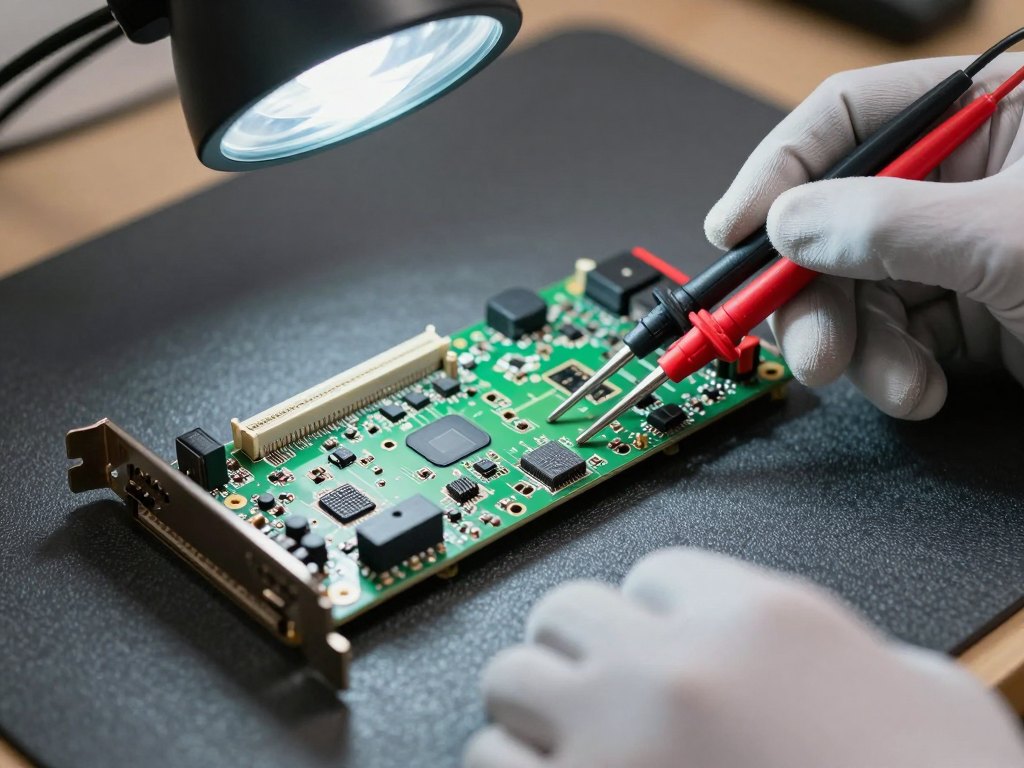
Find short circuits and missing voltages and understand what they point to.
- Trace common faults to their cause
Link typical symptoms such as no image, artefacts or no power to likely failures.
- Understand component replacement
Learn the principles of removing and fitting parts on a multilayer board.
- Test a card after repair
Verify stability under load before you hand the card back.
- Organise your repair workflow
Keep notes, record measurements and build a repeatable routine for every job.
- 6
- modules
- 24
- video lessons
- 100%
- online and self-paced
- 14 days
- refund window
The method: diagnose first, touch the board second
Most failed repairs begin with a rushed decision. The course teaches you to slow down at the start: observe, measure, compare with what a healthy card should show, and only then decide on an action.
Each module follows the same pattern. You see the theory behind a block of the card, watch the technique demonstrated in practice, and then apply the same logic to a new fault so the method becomes a habit rather than a recipe.
- Observe the card and the symptoms first
- Measure before you replace anything
- Compare readings with expected values
- Repair, then test under load
How the course works
The programme runs on an online learning platform. After payment you receive access and can start the first lesson straight away. There are no fixed class times, so you can study in the evening, at weekends or between jobs.
Lessons are recorded videos grouped into six modules. Each module builds on the previous one, so it is best to follow them in order, but you can always go back to a lesson when a particular fault comes up in your own work.
The platform also offers a short entry test after registration, which helps you see where you stand before you begin. Treat it as a way to find the modules that deserve the most attention, not as an exam.
The programme
Six modules that move from the basics of the board to complete repairs and testing.
1Module 1 — Getting to know the graphics cardThe parts of the board and what each of them does.4 lessons
- How a graphics card is built
- The power section and its role
- Memory and the graphics core
- Outputs, connectors and the cooling system
2Module 2 — Workplace, tools and safetyEverything you need on the bench before the first repair.4 lessons
- Essential tools and measuring instruments
- Setting up a safe and tidy workplace
- Handling electrostatic discharge
- Reading schematics and board layouts
3Module 3 — DiagnosticsA step-by-step approach to finding the fault.4 lessons
- Visual inspection and first checks
- Using a multimeter on the board
- Finding short circuits
- Recording measurements and symptoms
4Module 4 — Power and voltage faultsThe most common causes of cards that will not start.4 lessons
- Typical failures in the power stage
- Checking controllers and regulators
- Replacing power components
- Verifying voltages after the repair
5Module 5 — Memory and core faultsSymptoms such as artefacts, no image and unstable operation.4 lessons
- Recognising memory-related symptoms
- Identifying core and signal problems
- Principles of working with multilayer boards
- When a repair is not worth attempting
6Module 6 — Testing and workflowFinish every job properly and make the process repeatable.4 lessons
- Stress-testing a repaired card
- Checking temperatures and stability
- Cleaning and reassembling the card
- Building your own repair routine
What you get
- 24 recorded video lessons
Six modules you can watch on any device.
- Practical learning material
Supporting material that accompanies the lessons.
- Study at your own pace
No set schedule and no travel.
- Replay at any time
Return to any lesson when you meet a similar fault.
- Entry self-check
A short test to find your starting level.
- 14-day refund policy
If the course is not right for you, you can ask for your money back.
Is this course for you?
This course is for you if…
- Technicians who are tired of passing difficult repairs on to others
- Beginners and students who want to learn a practical technical skill
- People who want to turn an electronics hobby into a profession
- Repair specialists who want to add board-level graphics card work to their skills
- Anyone who prefers to learn online at their own speed
Probably not a fit if…
- Anyone looking for a quick shortcut with no practice involved
- People who want one-to-one coaching or classes at a physical venue
- Learners who are not willing to handle electronic components and tools
- Anyone expecting a guaranteed result without practising on real boards
After the course
When you finish, a faulty graphics card is no longer a black box. You know how to inspect it, which measurements to take first and how to link what you see to a likely cause.
You can set up a tidy workplace, follow a consistent diagnostic routine and judge when a repair is realistic and when it is not. That judgement alone saves a great deal of wasted time.
The lessons stay available, so the course can serve as a reference you return to whenever a new kind of fault appears. With practice on real boards, the routine becomes faster and more confident.
Questions before you order
How much time do I need each week?
It is entirely up to you. Many learners set aside a few hours a week, which is enough to move steadily through the modules, but you can go faster or slower.
Do I need previous experience?
No. The course starts with how a graphics card is built and the tools you need. Basic comfort with computers is helpful, and experience with electronics will simply let you move faster.
How does access work after payment?
Once your payment is confirmed you receive access to the course on the learning platform and can begin the first lesson immediately.
What is the refund policy?
You can request a refund within 14 days of purchase if the course does not suit you.
What format are the lessons in?
They are recorded video lessons with accompanying materials, grouped into six modules and available on a computer, tablet or phone.
Does the material stay available?
Yes. You can return to the lessons whenever you need them, so the course works as a long-term reference.
Which tools will I need?
The lessons cover the essential instruments, such as a multimeter and soldering equipment, so you know what to prepare before you start practising.
Is the course live or recorded?
It is a distance-learning programme with recorded lessons, so there are no fixed class times to attend.
Start learning graphics card repair
Get access to all six modules and begin your first lesson today.